Welcome to the Full Tutorial of Content Databases
In this guide, you will learn how to research YouTube markets smarter and 100x faster, so you don’t waste weeks uploading into dead niches and markets. This feature is pro-only and this tutorial can be helpful in showing off how it works and help you decide whether this is something for you or not.
You Will Learn…
Why databases are insanely valuable for YouTuber growth
How to build a database in minutes
How auto-search discovery works
How to track market demand in real-time
How to interpret the data in databases
Why Databases?
Most creators upload blindly. They:
Enter niches with no demand
Upload content nobody is watching anymore
Waste months before realizing the market is dead
Databases fix that. A Database:
Automatically tracks a niche’s videos, searches & channels
Shows you where the real attention is right now
Reveals what topics are breaking out before others know
Helps you place bets only when the market says “YES”
Why You Need Them
Let’s break it down simple and stupid:
YouTube is supply vs demand.
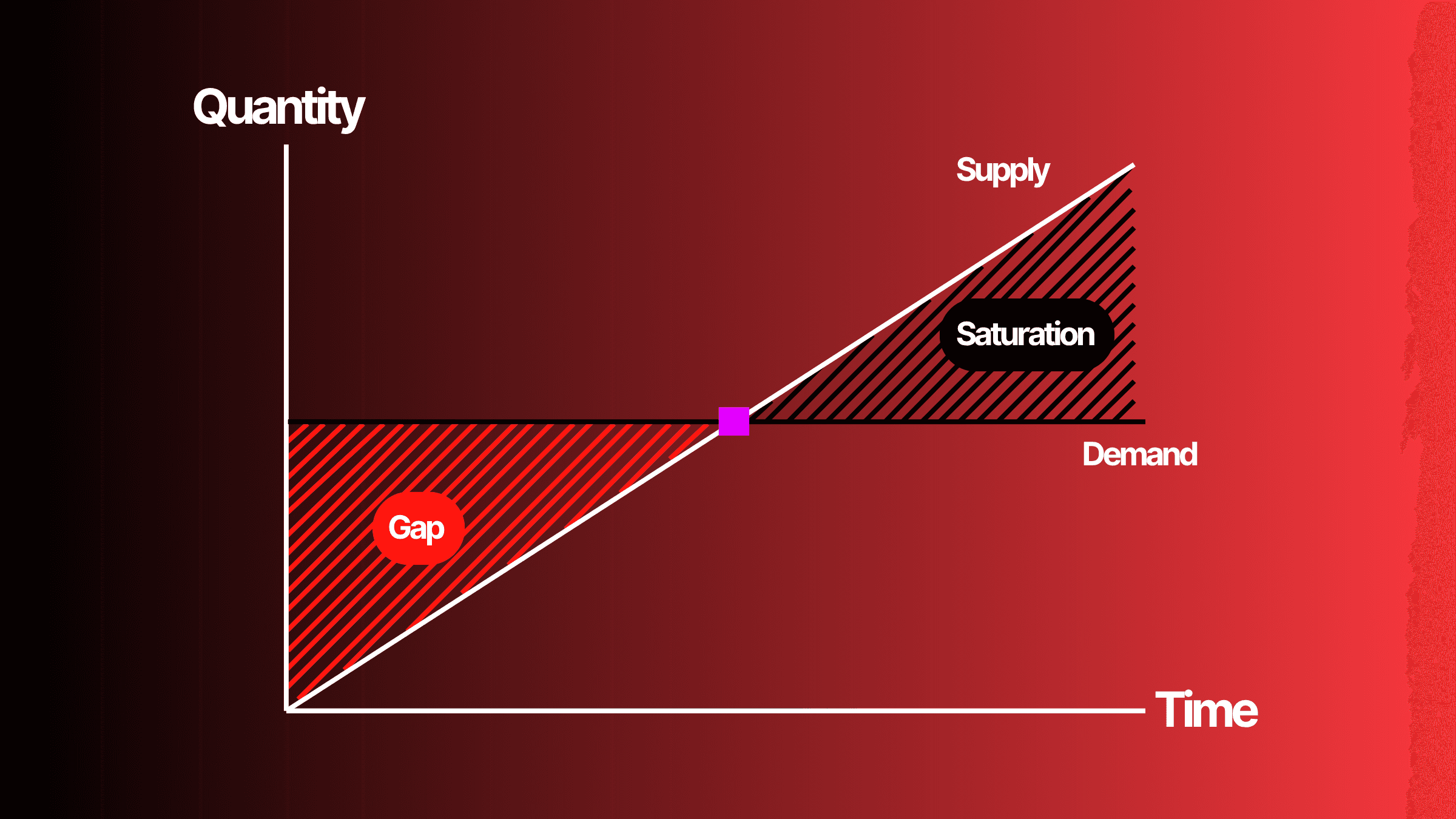
Supply = how many videos are posted
Demand = how many viewers are watching
Without tracking demand:
You upload blindly without any data backing your decision, praying for views
You think “the YouTube algorithm is broken” (it’s not)
With databases:
You find exploding topics
You see opportunity windows fast
You only make videos with proven audience demand
How To Create A Database
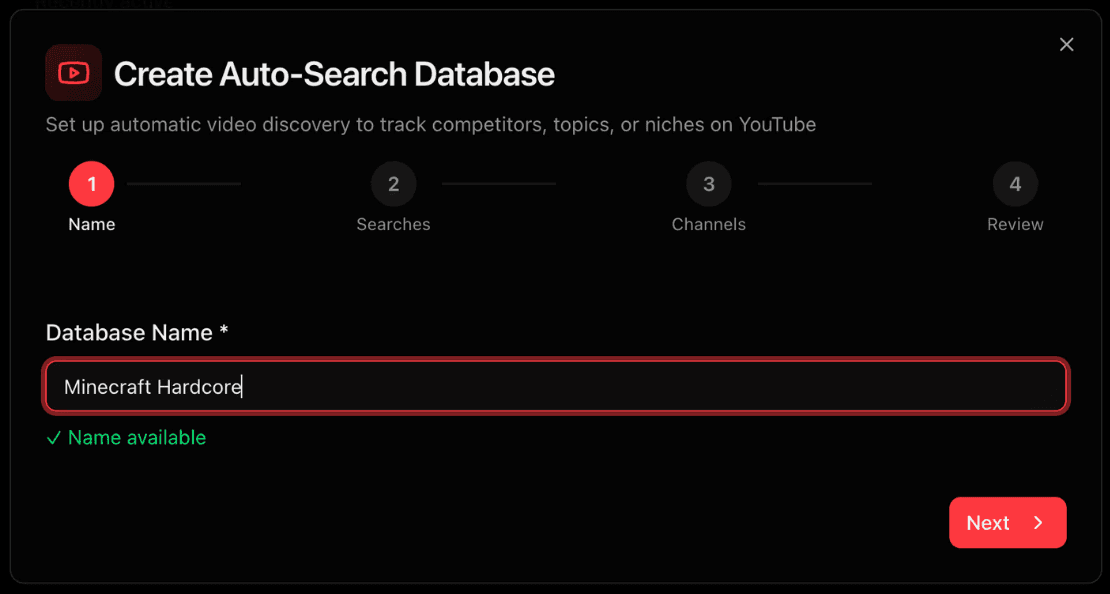
Step 1. Name your database
Step 2. Add Auto-Searches
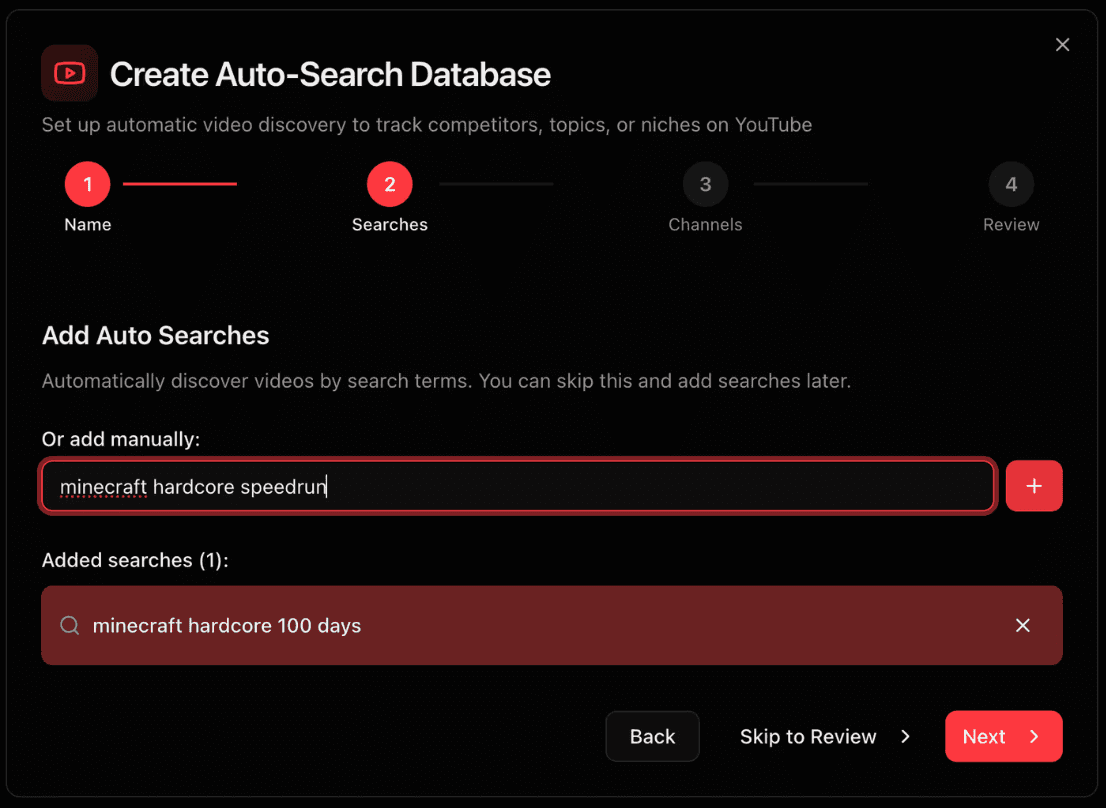
Auto-searches are direct searches on YouTube that continually searches YouTube for videos once every 24 hours. This helps you auto-populate databases and identify new videos that have been uploaded every day. These can be set up later in the process too.
Step 3. Add Channels
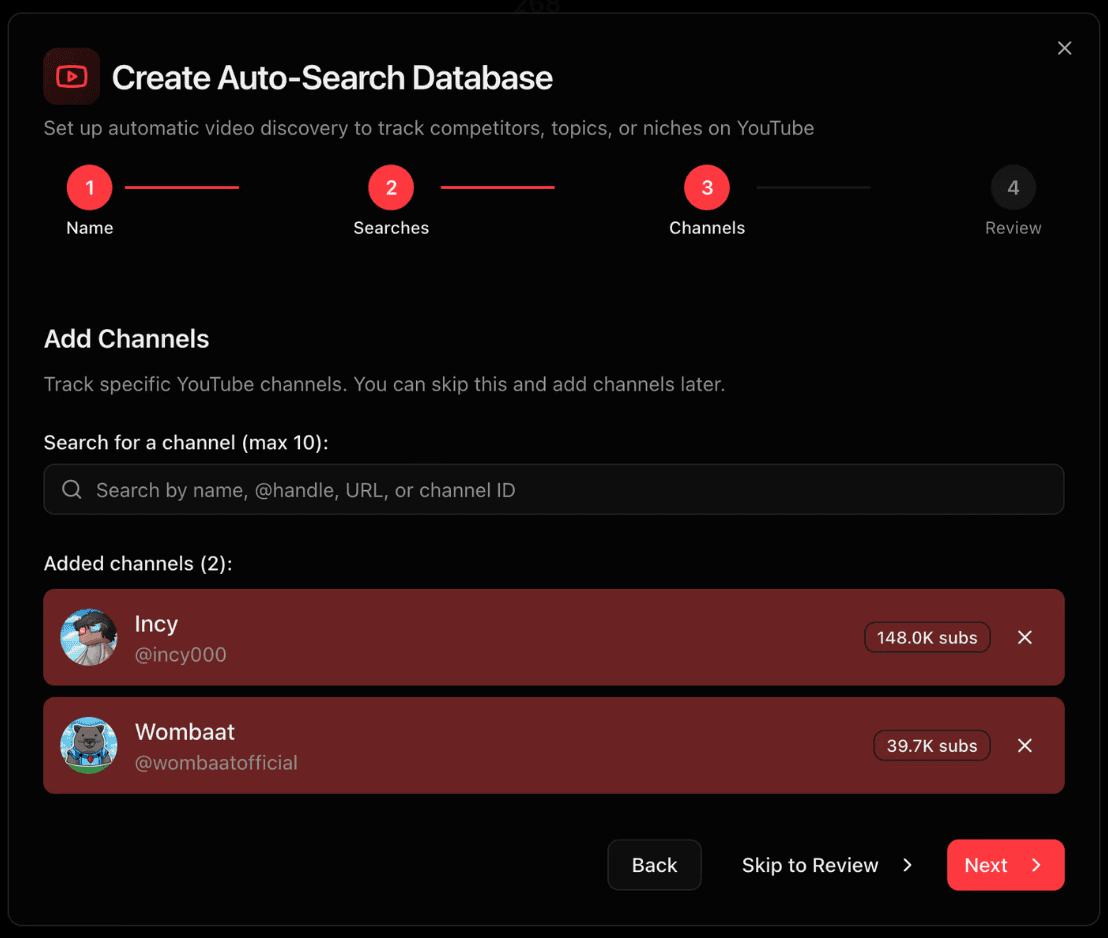
Pick channels that already:
Perform well in the niche/market
Use the format you want to win with
Step 4. Add Filters
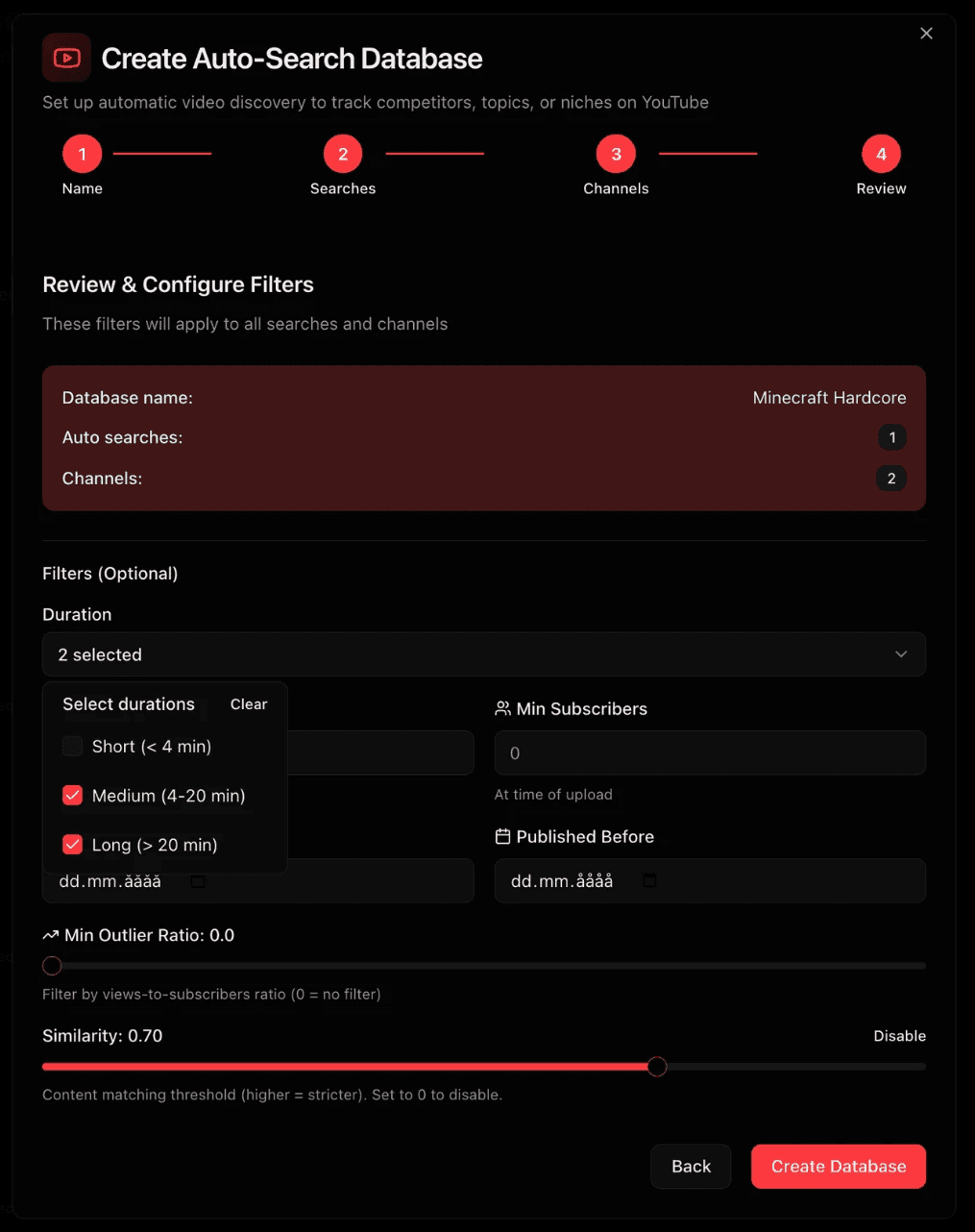
Filters are useful for making sure you only gather useful videos to your database:
Video duration (Short/Medium/Long). We advise to filter out shorts as they are noisy metrics-wise)
Subscriber range (500-50 000 subscribers allows to find breakout channels)
Publish timeframe (recent videos = signal)
Outlier ratio (useful if you want to collect only viral videos and outliers from your market)
Similarity threshold (how similar to your search phrase the videos that are being collected will be) Setting high similarity means it will only collect videos that contain the search phrase, while lower similarity means it might collect videos that have overlaps). E. g "minecraft hardcore 100 days" (high similarity) vs "minecraft hardcore let's play" (lower similarity).
In the end we ended up filtering with these filters. Why? Because my specific intention for this database is to collect outliers for that search.
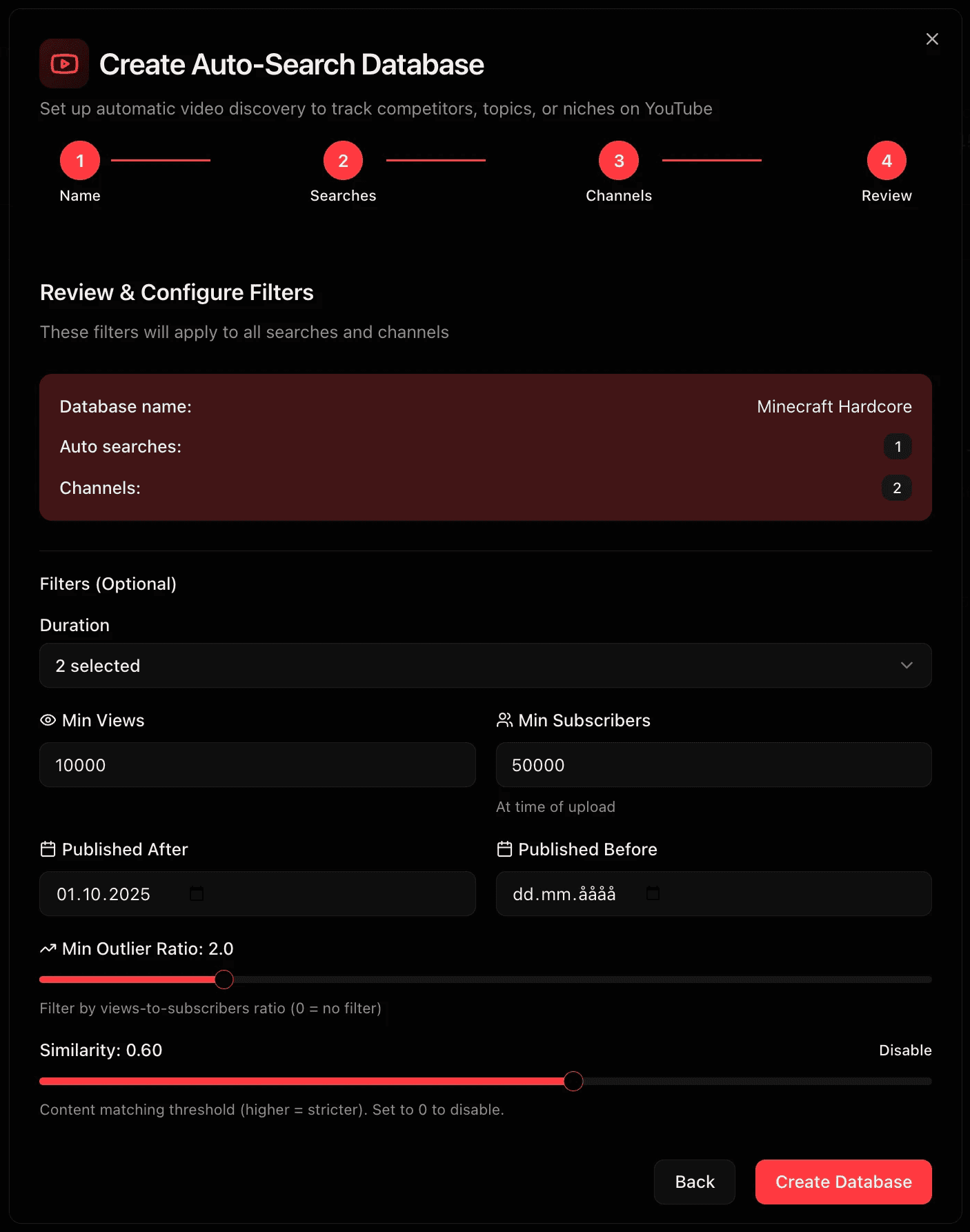
That's how we set it up ladies and gents!
What happens next?
Your database now…
Pulls in relevant videos
Updates every 24 hours
Shows demand rising or falling
Finds outlier topics automatically
Surfaces winning formats instantly
You can now:
See trends before they go mainstream
Validate market size before committing
Fill supply gaps fast
Build a content strategy based on real viewership data
This might feel overwhelming, so lets look at it in detail.
Inside the database
After creating the database, it will look something like this (note that we collected very few videos here since we hunted for outlier videos). The auto-searches you set up will now automatically search in our database and add videos. Note that it usually takes 24 hours for it to search on YouTube and start populating your database. We tend to set up a database, and then wait 24 hours for it to populate. Now, let's break down everything inside the database.
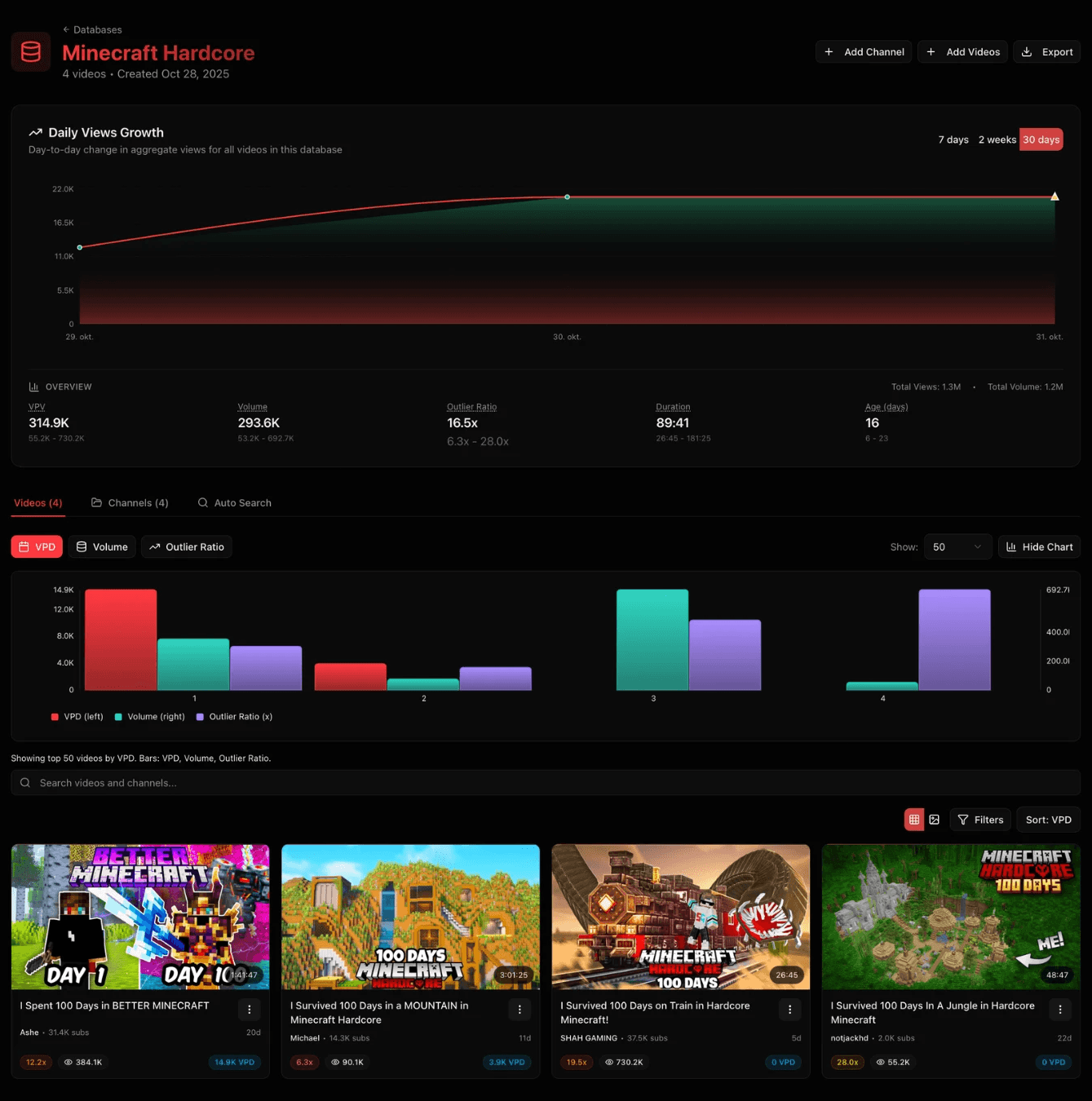
Daily Views Growth
The day by day growth in the entire database. It will display a pyramid whenever you made changes to the total number of videos in the database. This is useful for measuring if the views for the entire database is increasing or decreasing. Some practical examples is for example to measure the growth trend of a topic or niche that you have collected in the database.
Other buttons in this section:
Add channel: you can add more channels to the database whenever you want.
Add videos: you can more videos to the database whenever you want.
Export: export the database with all it's data (can be useful if you have large datasets and want to feed it to LLMs)
Videos Tab
This displays all the videos currently present in the database. You have the option to filter between VPD, Volume and Outlier Ratio. You can display up to 500 videos at once like demonstrated here from one of our other clusters.
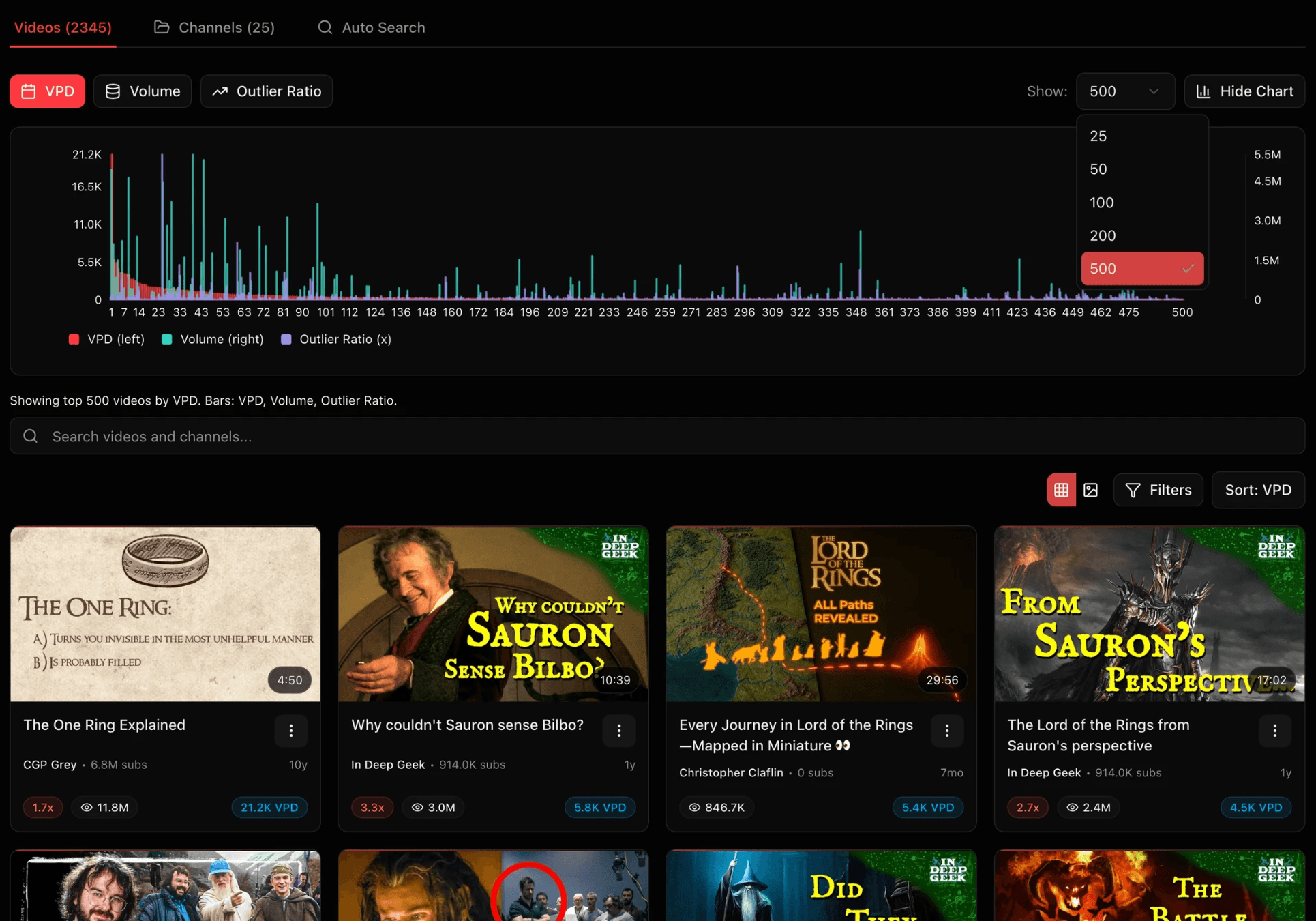
VPD (Views Per Day): measures how many views a video gets per day. Incredibly useful for seeing if there is actually interest for a video right now. Targeting topics with high views per day for several videos (at least 10K VPD for multiple videos can increase the chance of going viral, as long as you offer something new and unique to the market).
Volume (views-subs): Shows if there is excess demand for a video. For example, a video with 100K views and 10K subs will have 90K in excess demand. The more positive, the better (and vice versa).
Outlier ratio (views/subs): Shows if there is excess demand for a video. For example, a video with 100K views and 10K subs will have a 10x outlier ratio. The more positive, the better (and vice versa).
For both VPD, volume and outlier ratio there are nuances: For example a video with 10x outlier ratio doesn't matter that much if the channel has 10 subs and 100 views. This is why Mittalmar combine VPD, volume and outlier ratio all together to truly measure demand from several metrics.
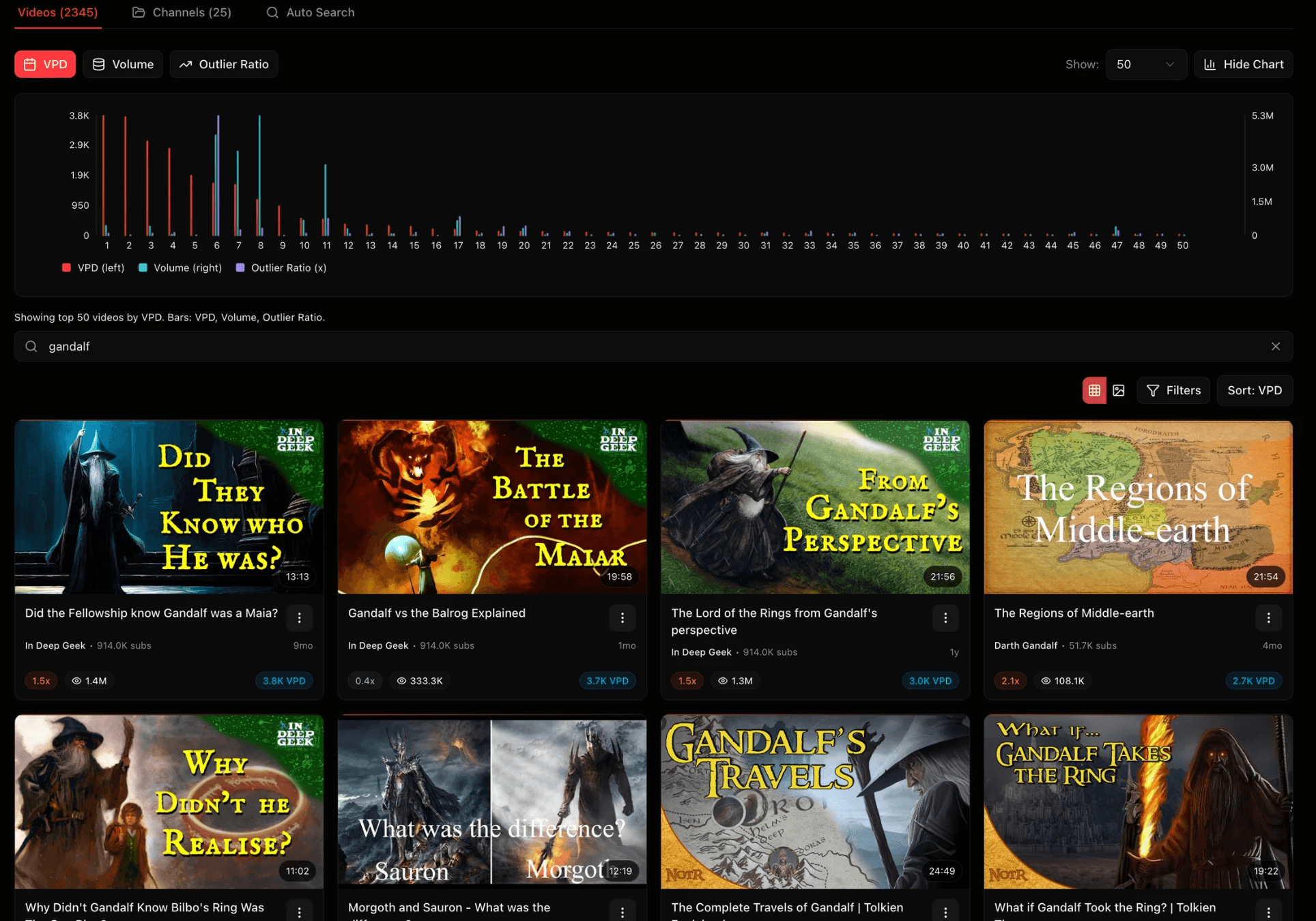
Search bar: search for specific keywords inside a database. Useful for looking into specific topics within a niche for example (I searched for Gandalf inside my Lord of the Rings database).
Channels tab
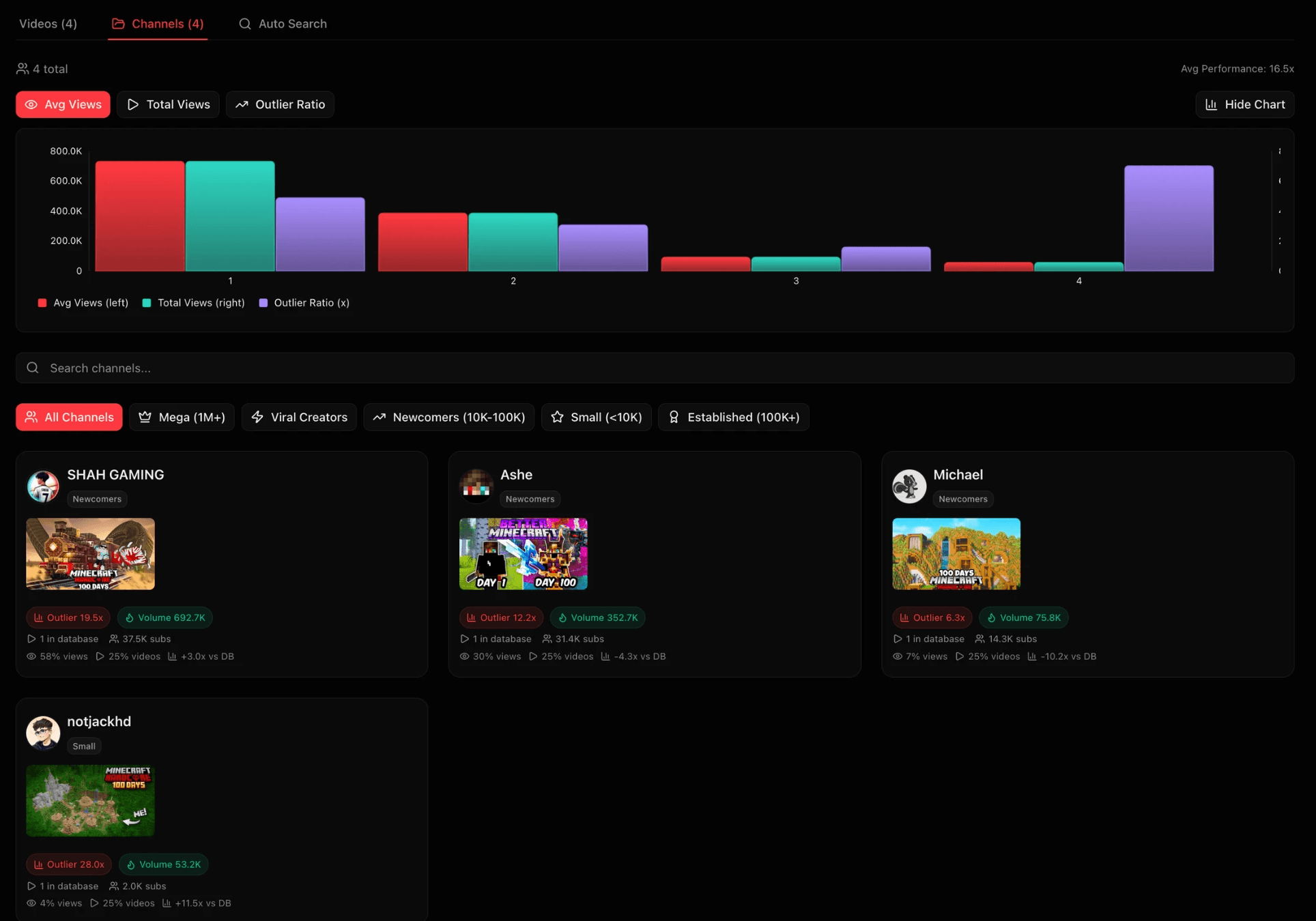
This displays all the channels currently present in the database. The statistics shown is for the inside of the database.
Auto Search tab
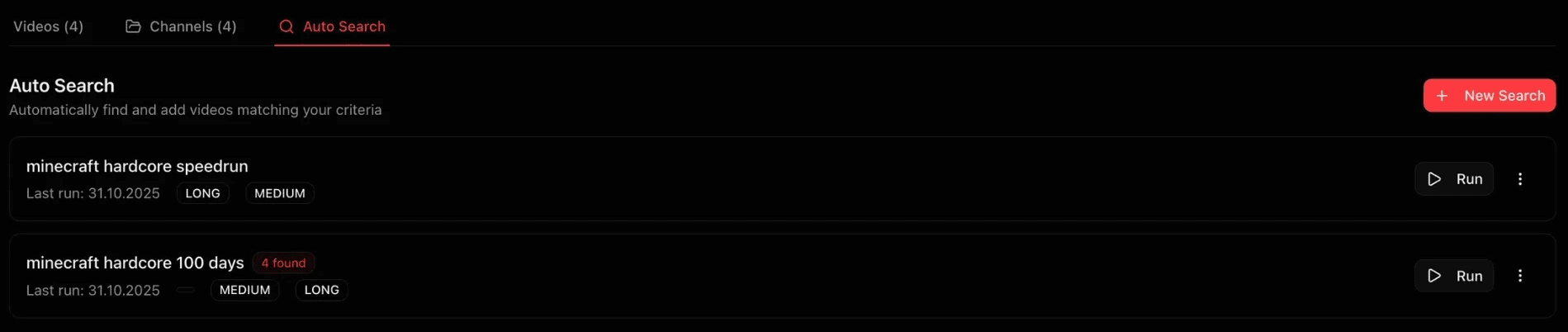
This tab displays all the active searches currently collecting data in the database. Typically these will run every 24 hours. You can add new searches, edit the existing ones, delete them or pause them. The more searches you set up, the stronger. But be careful! Searches can also clutter your data. Be mindful when using searches.
How to interpret and use the data in a content database
There are several ways to interpret the data provided in a database. Here's how to use databases strategically:
Market Research: Validate attention before committing.
Trend Hijacking: Ride early momentum by creating content around proven hot topics.
Niche Evaluation: Separate long-term from short-term plays.
Competitor Tracking: Watch what drives their outliers.
Idea Validation: Confirm audience demand before production.
Here's how it's done:
1.Identify Outliers
Look for videos that significantly outperform their channel size. These reveal excess demand, the clearest sign of a breakout topic. Signals:
High Outlier Ratio (2x+)
High VPD (5K-10K minimum)
Fresh upload (<30 days)
If multiple creators get outliers on the same topic → strong confirmation of trend strength.
2.Track Real-Time Demand (VPD)
Outlier ratio shows potential, but VPD shows current attention.
5K–10K+ VPD across multiple videos = active market
Declining VPD = fading interest
VPD tells you whether the window is open or closing.
3.Monitor Daily Views Growth for database
Watch the total daily views for your database.
Rising = growing attention
Falling = cooling demand
Use it to judge market momentum and when to enter or exit a niche, or when to ramp up or decrease uploads)
4.Combine Metrics for Context (Outlier ratio, volume and VPD)
Each metric has limits combined, but together they paint the full picture.
Positive Volume + High Outlier Ratio + High VPD (5K-10K minimum) = clear green light.
5.Check Small Channels
If small creators (<50K subs) are breaking out, demand is authentic and accessible. If only large channels perform, niche is likely saturated.
6.Search Within the Database
Use the internal search bar to zoom in on subtopics or formats (e.g., “speedrun”, “100 days”). This helps identify micro-trends within bigger niches.
7.Keep It Alive
Markets shift daily. Update regularly:
Add new searches/channels
Adjust filters as the niche evolves
A database is a living radar, feed it new data to keep it sharp.
One metric alone will not be a strong signal on it's own, the true power comes from reading multiple signals at once.